


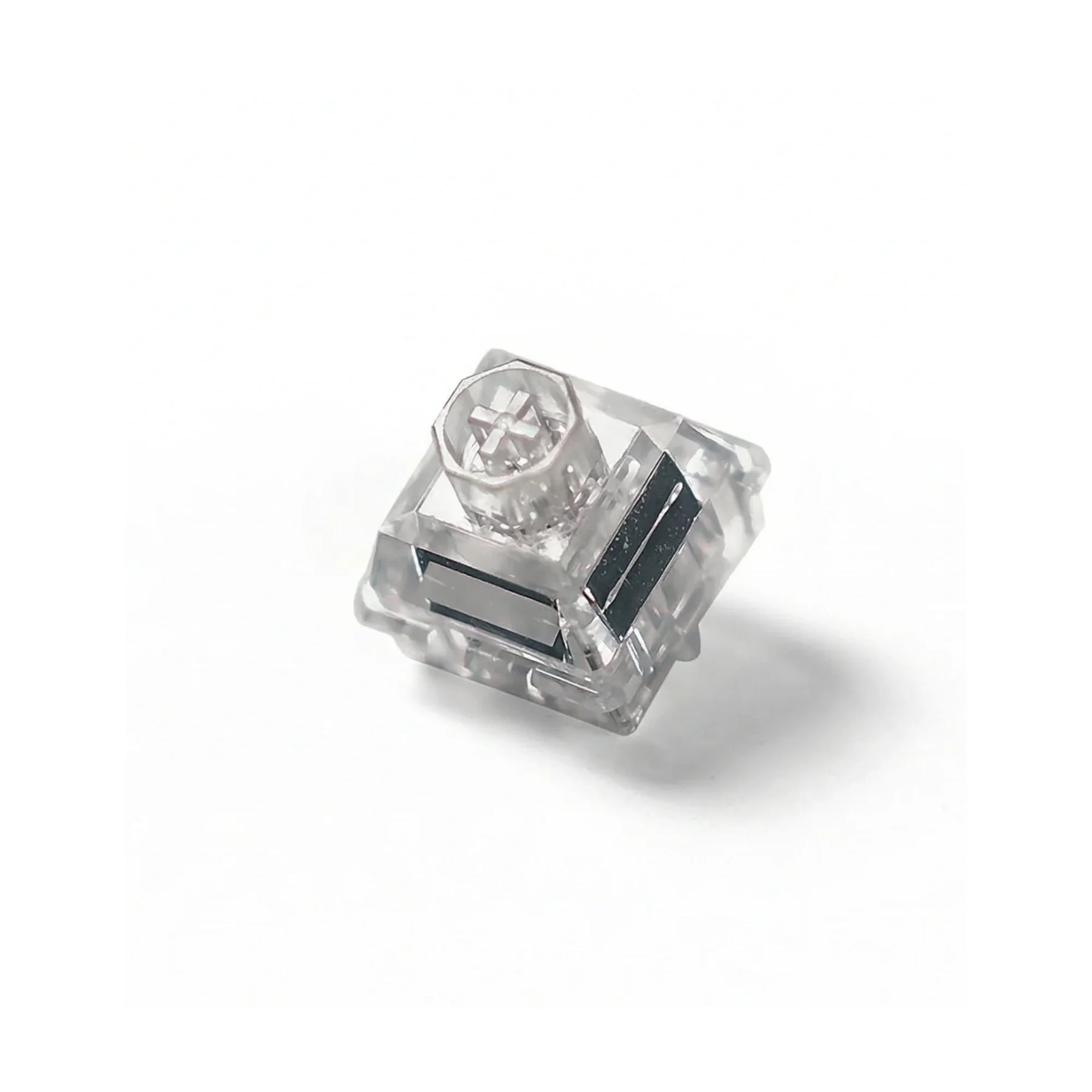
Do You Need to Lube Hall Effect Switches? An Honest Answer From the Workbench
TL;DR — No, you almost certainly don't. And in most cases, we'd actively recommend against it.
That's not the answer most lubing tutorials want to give you, because "yes, here's a 30-step guide" makes for a better blog post. But we've assembled several hundred Hall Effect keyboards on the bench at Toronto KeyboardMan — Wooting builds, Rakka builds, Melgeek, EV63, the lot — and our position is pretty firm: hand-lubing a modern Hall Effect switch is usually solving a problem the factory already solved, and creating two new ones in the process.
Here's the long version.
Quick context: why we lube mechanical switches in the first place
Before we get to magnets, let's remember why lubing became a religion in the mechanical keyboard world.
A traditional mechanical switch has metal leaves inside the housing. When you press the key, the slider pushes the leaves apart, breaking the contact and registering an actuation. That metal-on-plastic friction is what produces the classic "scratchy" feel — and lubing the rails and the bottom of the stem dampens it. Done well, you get a smoother feel and a deeper, less hollow sound.
The trade-off has always been precision. Drop a tiny bead of Krytox 205g0 onto the leaf instead of the rail and you'll either dampen actuation, cause the contact to fail, or change the contact resistance enough that the keyboard registers chatter. Every guide written in the last decade has the same big red warning: do not lube the leaf. Lubing tactile switches has its own version — get it on the legs and you flatten the bump.
So even on traditional mech, lubing is a precision craft. There's a part of the switch you must avoid, or you ruin the input.
Why Hall Effect switches change the math
A Hall Effect (a.k.a. magnetic) switch doesn't have leaves. There's a small magnet at the bottom of the stem and a Hall sensor on the PCB. As the stem travels down, the sensor reads the changing magnetic flux and reports an analog position — which is what makes Rapid Trigger and adjustable actuation possible in the first place.

That magnet is the entire input. There is no metal contact to scratch up. There is no scratchy break-in to lube around. The switch is, by design, already a contactless system that doesn't need lubricant to work correctly. Even Wooting's own knowledge base puts it bluntly: their Lekker switches don't need lube — at most, you might lube them for sound or feel preference, and even then there's a strict do-not-touch zone.
That zone is the magnet, the floor of the housing, and the sensor hole. And here's the thing — gravity exists. So even if you place lube only on the rails, over time it will pool downward, drip onto the magnet face, and start interfering with the flux reading the sensor uses to figure out where the key is. When the sensor reading drifts, your actuation point drifts. On a $200 board where the entire selling point is sub-millimeter precision, that's a meaningful problem.
In short: on a mechanical switch, bad lubing makes a switch feel scratchy. On a Hall Effect switch, bad lubing can quietly degrade Rapid Trigger and actuation accuracy. The downside isn't symmetrical.
A quick look at how a magnetic switch is built
Pop one open and the layout is fairly consistent across brands: top housing, stem with a small magnet pressed into the underside, return spring, and a bottom housing that sits directly over the Hall sensor on the PCB. Different switch makers play with stem geometry, spring weights, and how "open" or "closed" the bottom housing is — and as we'll see in a moment, that last detail matters a lot for any conversation about lube.

The two real risks of hand-lubing magnetic switches
We've seen both of these come across the workbench more times than we'd like.
1. Lube creep onto the magnet kills precision
Krytox 205g0 is sticky enough to migrate over weeks of use, especially if it's overapplied. On a Wooting Lekker, a Gateron Magnetic Jade, a Geon Raw — the magnet sits at the bottom of the stem, less than a millimeter from where you're meant to lube. Even small amounts that find their way onto the magnet face can:
- Catch dust, which then sits permanently against the magnet
- Subtly alter how the magnet seats during travel
- In extreme cases, cause the sensor's resting voltage to jitter, which Wootility and other configurators read as instability
This isn't theoretical. The Magnetic Jade has been documented to develop sound and feel inconsistencies after heavy use, and lube migration from the rails is one of the suspected causes. At 8,000 Hz polling — what the Wooting 80HE and 60HE v2 push — there's no slack in the system. Any physical resistance change becomes the bottleneck. That's exactly the opposite of what you bought a Hall Effect keyboard for.
2. Consistency is a real problem at the enthusiast level
The other reason to lube has always been to make a bag of switches feel uniform. With factory pre-lube, that quality is the manufacturer's job — and on the magnetic side, factory lube has gotten genuinely good in the last 18 months.
Look at any recent TTC HE batch: the switches are practically swimming in lube. The plastic packaging often has visible oil. Gateron's Magnetic Jade Pro and Jade Max are pre-lubed in-factory. None of these need a hobbyist re-doing the work.
But — and this is the nuance the rest of the internet skips — factory lube isn't always consistent batch to batch. We see this regularly with Magnetic Jade Pro and with switches like the Wuque WS Flux: open the bag, type 30 keys in a row, and you'll hear three or four switches that don't match the others. That's not a defect; it's the nature of high-volume mechanical assembly.
So shouldn't that be a case for hand-lubing? In theory, yes. In practice — and this is the part nobody talks about — there's no factory-dry version of a magnetic switch shipping right now. No vendor sells "Lekker without factory lube" the way you can buy unlubed Tangerines. Which means before you can hand-lube a magnetic switch consistently, you'd have to disassemble every switch and clean off the existing factory lube — which is fiddly, messy, exposes the magnet to solvent, and is exactly the kind of high-risk operation we just spent two paragraphs warning you about.
You can't undo factory lube on a magnetic switch easily. So your "hand-lube for consistency" project ends up layering hobbyist lube on top of factory lube — which compounds the risk of migration to the magnet, because there's now more total grease in the housing.
The open-bottom problem: where things go from "risky" to "really risky"
If you take one thing from this post, take this: not all magnetic switches have closed bottom housings, and the open-bottom ones are far more dangerous to hand-lube.

The Wooting Lekker (L45 and L60), the Geon Raw, and the entire TTC HE family — including the KOM series — are not closed at the bottom. Pop one out of a board and you can see straight through to where the PCB and Hall sensor sit. There's no floor to catch anything that migrates downward.
Here's the actual chain of events when you hand-lube the rails of an open-bottom switch with a touch too much grease, or a thinner oil, and install it back into the keyboard:
- Gravity does its thing. The lube migrates down the rails toward the bottom of the housing.
- It reaches the bottom of the stem and drips onto the magnet first — the magnet is the lowest point on a magnetic stem.
- From the magnet, it slides off the side and onto the PCB, right around the Hall sensor.
- And here's the part most guides skip: the RGB LED openings on the PCB are not sealed. Once lube is on the board, it can creep through those openings and reach the IC components and surface-mounted electronics underneath. That's no longer "I need to clean my switches" — that's "my keyboard's electronics are contaminated."
This is a categorically different failure mode than "lube migrates onto the magnet face inside a closed housing." On an open-bottom switch, your $200 board's electronics are essentially exposed from the keycap downward, with only the switch itself in between.
So our rough hierarchy of risk, from "do not even think about lubing" to "still risky but at least sealed":
- Open-bottom switches (Wooting Lekker L45/L60, Geon Raw, all of TTC's HE family including the KOM series, and similar) — lube can drop onto the magnet, slide onto the PCB, and migrate through unsealed RGB LED holes onto the ICs underneath. Avoid hand-lubing entirely.
- Fully closed-bottom switches — lube migration is contained inside the housing, but it can still creep onto the magnet face. Less catastrophic, but still not free.
Before you make any decision about lube on a magnetic switch, take the switch out and look at the bottom. If you can see the sensor hole, the spring, or the magnet from below, that's an open-bottom switch and the answer is no.
A quick word about lube types
We've been using "Krytox 205g0" as shorthand, but it's worth pointing out that lubricants come in a real range of viscosities — from thick greases (Krytox 205g0, 205g2, Tribosys 3204) to thin oils (Krytox 105, Tribosys 3203). The thinner the lube, the faster it migrates. On an open-bottom HE switch, even a "safe" thin oil can find its way to the PCB much quicker than a heavy grease would.
That's another reason factory pre-lube is a different animal than hobbyist lube — manufacturers tune the viscosity, dosage, and application location specifically for that switch's housing geometry. A bottle of 205g0 from your bench was tuned for mechanical switches.
So when would we lube a Hall Effect switch?
We can think of two narrow scenarios.
- The switch is genuinely scratchy out of the box. Rare on modern HE, but it does happen on older stock and on some no-name magnetic switches. If a switch is audibly scratchy in a stem-press test, the factory lube was insufficient and you have a real reason to intervene — but only if the housing is fully closed at the bottom. If it's open-bottom (Lekker L45/L60, Geon Raw, etc.), our advice is still to swap the switch rather than lube it.
- You're tuning sound, not feel, on a closed-bottom switch. Some builders apply a very small amount of thin oil along the housing rails to soften the top-out sound. This is a sound-design move, not a "the switch isn't working" move — and it's the only kind of magnetic-switch lubing we're comfortable with on customer builds, and only on closed-bottom switches.
If you're not in one of those two buckets, our advice is straightforward: don't.
If you really want to do it, the rules
We'd rather you read this section than experiment without it.
- Use only plastic-safe, non-conductive dielectric lube. Krytox GPL 205g0 (grease) or 105 (thin oil) for rails. No sprays, no silicone aerosol, nothing intended for door hinges.
- Rails only. Sides of the stem only. Never the floor of the housing. Never the bottom face of the stem. Never the magnet. Never the sensor hole.
- Less than you think. A pinhead on the brush, spread thin. Magnetic switches don't need much.
- Avoid lubing the spring. Spring ping is rare on modern HE, so the upside is small. The bigger problem is dosage — most builders use Krytox 105 for springs, which is a thin liquid oil. It's very easy to under- or over-apply, and excess 105 will run downward fast on a magnetic switch. If you absolutely must lube a spring, do not bag-lube — paint each spring with a brush and use even less than you think.
- Test one switch first, before committing the rest. Lube exactly one switch, install it, and check the actuation reading in your keyboard's software. Most modern HE drivers expose live actuation values — Wootility for Wooting boards, but also Sparklink Driver for Rakka, EV63, Melgeek Made68 Pro / Ultra, and many other current HE keyboards. If the reading is stable and Rapid Trigger feels normal, proceed cautiously. If anything jitters or the resting value drifts, stop.
- Calibrate after lubing. Adding any material to a switch slightly changes how the magnet seats. On Wooting boards, simply unplugging and replugging the keyboard re-runs calibration. On most other HE drivers (Sparklink and similar), open the configurator and run the auto-calibrate function before judging the result.
Wooting's own documentation walks through this with photos. Read it before you start: How to Lube Your Switches and Stabilizers — Wooting. It's the most cautious-yet-useful guide on the topic.
What to do instead
Honestly? Use the keyboard.
If you're typing on a Wooting 60HE v2 with stock Lekkers and you don't love the feel, the highest-leverage upgrade isn't lubing — it's swapping the switch entirely. A different switch gives you a different feel, a different sound, and a different lube profile that the manufacturer has already dialed in. That'll move the needle far more than a marginal hand-lube on stock parts.
Need the largest HE switch selection in North America?
We stock 30+ Hall Effect switches at Toronto KeyboardMan — linears, silents, tactiles, the lot. Free North America shipping on orders over $179.
If the issue is stab rattle, that's a real fix, and it's separate from switch lubing. We'll cover that in its own post — stabilizer tuning is universally beneficial on Hall Effect builds and rarely risky.
And if you came here because something feels off on your magnetic build, the order we'd troubleshoot in:
- Update firmware and recalibrate — Wootility for Wooting, Sparklink Driver for Rakka / EV63 / Melgeek and many other current HE boards, or whatever your keyboard ships with.
- Check actuation point and Rapid Trigger settings — these are easy to forget after a profile import.
- Re-seat the switches; magnetic switches sometimes don't fully click into hot-swap sockets.
- Try the same switches in a different socket to rule out a single-key issue.
- Only if you've ruled out everything above, consider a switch swap.
Hand-lubing is option 6 or 7. Not option 1.
FAQ
Are Hall Effect switches pre-lubed from the factory?
Most modern ones, yes. Wooting Lekker, Gateron Magnetic Jade and Jade Pro, and TTC's magnetic lines all ship factory pre-lubed. The lube quality varies a bit between batches, but for nearly all users it's sufficient out of the box.
My switch has an open bottom — should I lube it?
No. If the bottom housing is open (Wooting Lekker L45/L60, Geon Raw, and other open-bottom designs), any lube that migrates downward can drip directly onto the PCB and the Hall sensor area. There's no floor to catch it. If you're unhappy with the feel of an open-bottom magnetic switch, swap the switch rather than lube it.
Will lubing my Wooting Lekker switches void the warranty?
Wooting allows lubing and even sells an official Switch Lube Set, but they're explicit that user-applied lube on the magnet or sensor area is on you. We've seen Wooting decline to repair boards where lube migration caused sensor errors. Treat it as your risk.
What's the safest lube for Hall Effect switches?
Krytox GPL 205 Grade 0 or TriboSys 3204 for rails, GPL 105 if you want a thinner oil for top-out only. Both are dielectric and plastic-safe. Avoid anything not specifically rated for keyboard use.
Can I lube the springs in a magnetic switch?
You can, but bag-lubing springs is a sound-design tweak, not a performance one. Magnetic switches don't ping the way some unlubed mechanical springs do, so the upside is smaller than on traditional mech.
Does Rapid Trigger still work if my switches are lubed?
If the lube stays on the rails and never reaches the magnet or sensor, yes. If it migrates — which is what happens to most users over months of use — you'll see actuation drift. That's the central reason we recommend leaving them alone.
Bottom line
The mechanical-keyboard hobby trained a generation of builders to lube every switch by reflex. On Hall Effect switches, that reflex isn't just unnecessary — it's a low-grade liability. The factory does this work better than you can without specialized tools, the magnet is the one part you absolutely cannot contaminate, and the upside on a properly built modern HE board is small enough that the risk-reward simply doesn't pencil out.
If a particular magnetic switch feels off, we'd rather see you swap it than tune it. That's a less satisfying answer than "here's a how-to," but it's the one the bench keeps showing us.
Have a Hall Effect setup you want a sanity check on? Drop into the shop, or browse North America's largest HE switch lineup (30+ switches and counting) — we'll tell you straight whether your build needs lube, a switch swap, or just a stab tune.
— KeyboardMan, from the bench in Toronto
Share:
Dual USB Split Cable for Gaming: Unlock True 8K Setup
How Many Switches Does the Wooting 80HE Need? (2026 Buyer's Guide)