

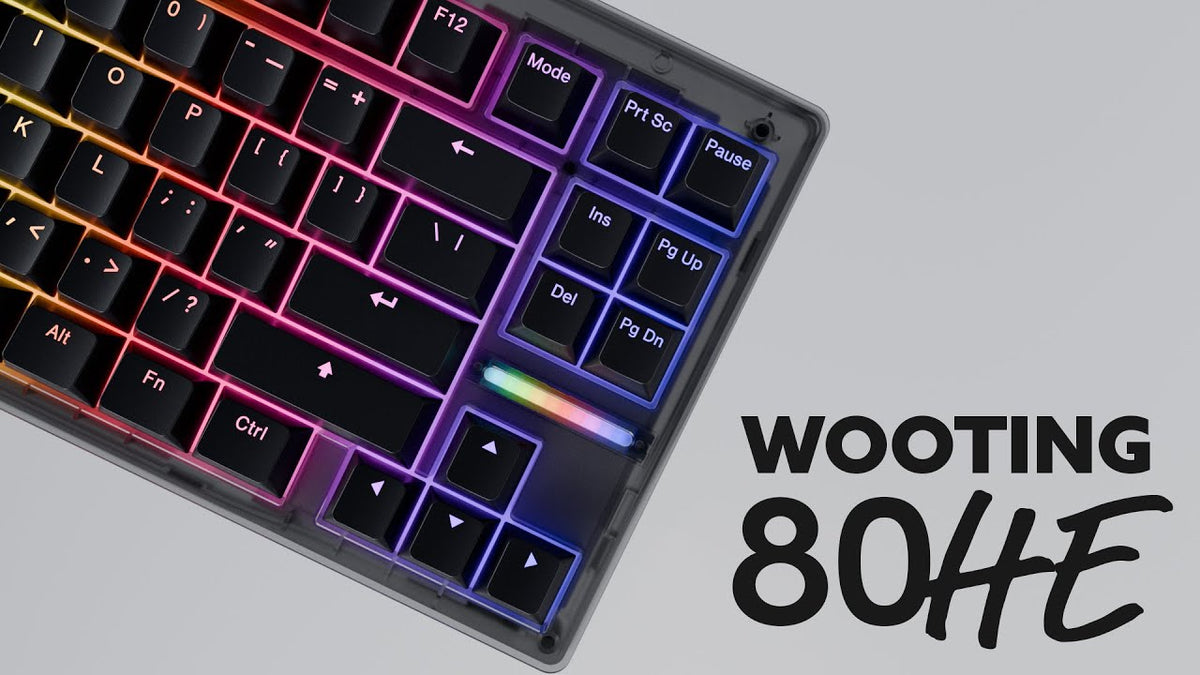
Quick answer: a Wooting 80HE needs 84 switches for the standard ANSI layout (85 for ISO). Most builders buy 90, because resellers — us included — sell switches in 10-packs, and you'll want a few spares.
That's the one-liner. But "how many switches" turns out to be three or four questions stacked together once you actually start clicking "add to cart" — what's in the box, which switches are even compatible, do you need stabs, and so on. We've assembled a few hundred Hall Effect keyboards on the bench at Toronto KeyboardMan, and the same questions keep coming up the day before a build. This guide walks through all of them in one pass.
The exact number: 84 (and why most people buy 90)
The Wooting 80HE uses an 80% layout. In standard ANSI, that's 84 switch positions. In ISO, it's 85 (one extra key thanks to the split left shift / smaller enter cluster).
| Layout | Switches needed | Switches to actually buy |
|---|---|---|
| ANSI (standard) | 84 | 90 (one 10-pack as spares) |
| ISO | 85 | 90 |
Why 90 and not exactly 84? Two reasons.
First, the magnetic switch market sells in 10-packs. Almost every reseller (us included) prices and packages switches that way, so 80 is too few, 84 is impossible to buy without overpaying, and 90 is the natural number.
Second, factory lube QC isn't perfect on magnetic switches. The most common defect we see across the bench is what the community calls a "dead" or "silent" switch where excess factory lube migrated onto the magnet during shipping or storage. That contamination either dampens the typing sound on that one key or, in worse cases, causes the actuation reading to drift. It isn't every bag, and it isn't most switches in a bag. But across 90 switches you'll typically run into 1–3 that you'd rather just swap out than try to fix.
That's the real reason builders end up at 90: not "extras for fun," but "extras because QC happens." Having them on the desk during install turns a two-week wait for replacements into a swap-and-move-on fix.
What actually ships in the Wooting 80HE box: Pre-built vs Module
This is the one place we see new buyers most often get confused, because Wooting sells the 80HE in two very different SKUs.
- Wooting 80HE (Pre-built) — comes assembled. Switches, keycaps, stabilizers, case, plate — all included. If you bought this version, you don't need to buy any switches at all unless you're upgrading.
- Wooting 80HE Module — the PCB, plate, internal foam, and stabilizers (pre-installed). What it does not include: switches, keycaps, a case, a USB cable, or a daughterboard. If you're buying Wooting's matching case, the cable and daughterboard come with that. If you're using a third-party case, they usually ship with the case kit — always check the listing first. Either way, switches and keycaps are on you.
For reference, Wooting's other current HE boards land at:
- Wooting 60HE+ / 60HE v2 — 61 switches
- Wooting 80HE — 84 switches (ANSI)
- Wooting Two HE — 108 switches (full-size)
Compatible switches: the part that actually costs people money
Before you buy anything, this section. Magnetic switch compatibility has two completely separate dimensions, and most buyers think about one without realizing the other exists. Get either wrong and you've bought a bag of switches that will never work in your Wooting 80HE.
Trap #1: Center-magnet vs side-magnet (the bigger trap)
Most modern HE keyboards — Wooting included — are designed around center-magnet switches. The magnet sits in the middle of the bottom of the stem, lined up with a sensor directly underneath.
But there's a parallel ecosystem of HE keyboards that use side-magnet switches, where the magnet is mounted on the side of the housing and the sensor is offset. They look almost identical in product photos, but the magnetic geometry is fundamentally different — and they are not interchangeable.
Side-magnet boards we see most often (their stock switches will not work in a Wooting 80HE):
- DrunkDeer A75 (and most Drunkdeer / Raesha switches)
- SteelSeries Apex Pro TKL and the OmniPoint switch family
- ASUS ROG HFX magnetic switches
- A bunch of bargain-bin HE keyboards on Amazon — if a brand is unknown and the price looks too good, assume side-magnet until proven otherwise
This trap is expensive precisely because the switches look identical at thumbnail size. We've had customers walk into the shop with a sealed bag of Apex-style switches asking why they don't seat in their new Wooting. The answer is sad, and almost always unrefundable.
One detail worth flagging: we don't carry side-magnet switches at Toronto KeyboardMan at all. Every magnetic switch on our site is center-magnet by design, so if you bought your switches from us for a Wooting build, this entire category of mistake is already disarmed.
Trap #2: Magnetic pole orientation
The second compatibility check is more subtle. Every magnet has a north pole and a south pole, and the Hall sensor on the PCB is reading the magnetic field from one specific direction. If a switch's magnet is oriented opposite to what the keyboard's sensor expects, the keyboard won't read it correctly — even if the form factor and magnet position are otherwise right.
This is the actual technical reason behind a lot of the "are X switches compatible with Wooting?" Reddit threads. It's rarely a fitment problem; it's almost always a polarity problem.
The good news: a lot of newer HE switches (and a lot of newer HE keyboards, including current Wooting boards) are essentially pole-agnostic — the system reads the absolute strength of the magnetic field rather than caring which way the magnet is facing. The market is moving in this direction quickly.
Practical buying advice:
| Switch | Wooting 80HE compatible? |
|---|---|
| Wooting Lekker — L60, L45, Tikken (Wooting's three stock options) | ✅ Yes |
| Gateron KS-20 / KS-20T (Magnetic Jade family) | ✅ Yes |
| Other center-magnet switches in the same form factor | ✅ Usually yes, especially newer pole-agnostic releases |
| Switches with the wrong pole orientation | ⚠️ May not register correctly — check polarity, not just form factor |
The right question to ask isn't "is this KS-20 form factor?" — it's "what's the magnet position, and what's the pole orientation?" Both Toronto KeyboardMan product pages and a quick Discord/email message to us will get you the answer before you put a non-refundable bag of switches in cart.
One more verification trick: Wootility (Wooting's own configurator) has a built-in switch selector. Plug in your 80HE, open the configurator, and the tool lists the switches Wooting has officially tested and supports for your specific board. If you're considering a non-Lekker switch, it's a 30-second double-check before checkout.
Bonus: do TMR switches work in a Wooting 80HE?
TMR (Tunneling Magnetoresistance) is a different sensor technology than Hall Effect, but the switches themselves still work by moving a magnet up and down inside the housing. So a magnetic switch designed for a TMR board can often be used in an HE board, and vice versa, as long as the magnet position and the form factor match — exactly the same two checks we just walked through. Don't assume "TMR" means a different switch standard. Check the magnet placement and the form factor like you would for any HE switch.
HE switches are more forgiving than mechanical — except when they aren't
One of the underrated upsides of a hot-swap HE keyboard for first-time builders: there are no electrical pins to bend on the bottom of the switch.
On a normal mechanical switch, you've got two metal pins sticking out the bottom that have to slot perfectly into the PCB socket. Plug one in slightly off, push too hard, and the pin bends. Bent pin = dead switch, in most cases. Every long-time mech builder has a tin of these somewhere.
Magnetic switches don't have those pins. The contact is magnetic, not electrical, so as long as the switch is seated and the magnet is over the sensor, the switch is doing its job. Plug one in slightly wrong → it just feels wrong, you pull it out, try again. Far more forgiving for new builders.
The exceptions worth knowing about are the WS Flux and the Everglide Siren. Both have plastic alignment legs (the structural plastic legs that anchor the switch into the hot-swap socket — not the electrical pins) that we've seen snap off with surprising ease, especially during repeated swaps. The WS Flux switches that ship as the stock option on the RAKKA keyboards we sell are a frequent example.
The good news: even with broken legs, both switches still work. The magnet is still in the stem and the sensor still reads it. So if you snap a leg, it's annoying but not the end of the world — just be a little more deliberate during install, especially the first seating.
What if you install a switch backwards?
Another forgiving aspect of magnetic switches: if a switch is pole-agnostic, installing it rotated 180° from the others still registers correctly. The sensor reads the magnet regardless of orientation.
The catch is RGB. Most magnetic switches have a light-pipe cutout on only one side of the housing — the side that's supposed to face the LED on the PCB. Install one backwards and the cutout faces the wrong way, so the keycap above ends up dim or unlit while every other key is glowing.
This is solved on a growing class of switches that use dual light-pipe housings — cutouts on both sides, so orientation literally doesn't matter for RGB. Examples currently shipping:
- UR Ice Ultra R2
- UR Ice Extreme
- Unionwell Ice Shine
- Snow Shine
If RGB consistency matters to you and you're prone to rushing installs, dual-LED switches are a worthwhile spec to filter on.
Stabilizers are a separate question
The Wooting 80HE uses 4 stabilizers:
- Spacebar (6.25u)
- Backspace (2u)
- Enter (2.25u)
- Left Shift (2.25u)
Both the Pre-built 80HE and the Module ship with stabilizers pre-installed, so for most buyers stabs aren't a separate purchase. The exception is if you're transplanting the PCB into a totally different case or doing a full refit — at that point, you'll want to confirm the stabs are still seated and tuned before re-installing switches.
And once your switches are installed and the board's typing well, the next question that comes up is: do I need to lube the switches? That's a separate post on its own — short version, on a Wooting 80HE the answer is almost certainly no. Full reasoning here: Do You Need to Lube Hall Effect Switches?
What 90 switches actually costs (CAD and USD)
Switch pricing scales by tier. Here's the practical framework for buying 90 switches at Toronto KeyboardMan (USD approximations at ~1.4 CAD/USD; live exchange rate may shift these slightly):
| Tier | Examples | Per 10-pack | 90 switches total |
|---|---|---|---|
| Wooting stock — open bottom | Wooting Lekker L45, Lekker L60 | $56 CAD / ~$40 USD | ~$504 CAD / ~$360 USD |
| Wooting stock — closed bottom | Wooting Lekker Tikken | $70 CAD / ~$50 USD | ~$630 CAD / ~$450 USD |
| Mid-tier upgrade | Gateron Magnetic Jade Pro, TTC KOM, Wuque WS Flux | ~$100 CAD / ~$72 USD | ~$900 CAD / ~$650 USD |
| Premium / enthusiast | TTC Horse, TTC Flip KOM, WS Flux Diamond, UFO | varies | varies — see live shop pricing |
Add GST/HST on top depending on your province. Free North America shipping at Toronto KeyboardMan kicks in at $179 CAD, which 90 switches alone will easily clear at any tier.
(These are baseline pack prices as of writing — live prices on each switch's product page reflect any current promotions or stock changes.)
Need switches for your Wooting 80HE?
We stock 30+ Hall Effect switches at Toronto KeyboardMan — center-magnet only, all confirmed compatible with Wooting and similar HE boards. Free North America shipping over $179 CAD.
The 4 buying mistakes we see most in the shop
- Buying exactly 84 switches. One stem is rough out of the bag, you push too hard during install, or you change your mind on a single key. Now you're waiting on shipping for one switch. Buy 90.
- Buying side-magnet switches by mistake. Drunkdeer / Apex Pro / ROG HFX stock switches won't work in a Wooting 80HE. The magnet is in a different place. Always check magnet position before you check price.
- Assuming any "magnetic switch" will fit. Center-magnet vs side-magnet matters. Pole orientation matters. Read the spec field, not just the title — or ask before you buy if you're unsure.
- Buying the Module thinking switches and keycaps were included. They aren't. The Module ships with PCB, plate, foam, and stabilizers. You still need to source switches, keycaps, a case, and (unless the case kit handles it) a daughterboard and USB cable.
FAQ
Are switches included with the Wooting 80HE?
Yes if you bought the Pre-built 80HE. No if you bought the Module — that's just the PCB and a few essentials.
Can I mix different magnetic switches on one Wooting 80HE?
Yes, as long as every switch is center-magnet, fits the form factor, and has a matching pole orientation (or the switches in question are pole-agnostic, as most newer ones are). Plenty of builders use one switch for WASD and a different one for the rest of the board, especially for gaming-vs-typing setups.
How many switches does the Wooting 60HE v2 need?
61 switches. Same 10-pack math applies — most buyers grab 70.
How many switches does the Wooting Two HE need?
108 switches. Buy 110.
Where can I buy Wooting-compatible switches in Canada?
Right here. We carry 30+ Hall Effect switches at Toronto KeyboardMan, all center-magnet and compatible with Wooting boards. Free North America shipping over $179 CAD.
Building your first HE board and not sure which switches are right for it? Drop into the shop or send us a note — we'll match a switch to what your build is for.
— KeyboardMan, from the bench in Toronto
Share:
Do You Need to Lube Hall Effect Switches?
Which Keycaps Fit a Wooting? (And Why Cherry Profile Doesn't)